Ultimate Member - Account tabs
Adds custom tabs to users' accounts.
This plugin has to be used with the Ultimate Member plugin.
Note: This is a free extension created for the community. The Ultimate Member team does not support this extension.
Key features
- Ability to create custom account tabs with custom title, content and icon.
- Ability to restrict custom account tabs for specific user roles.
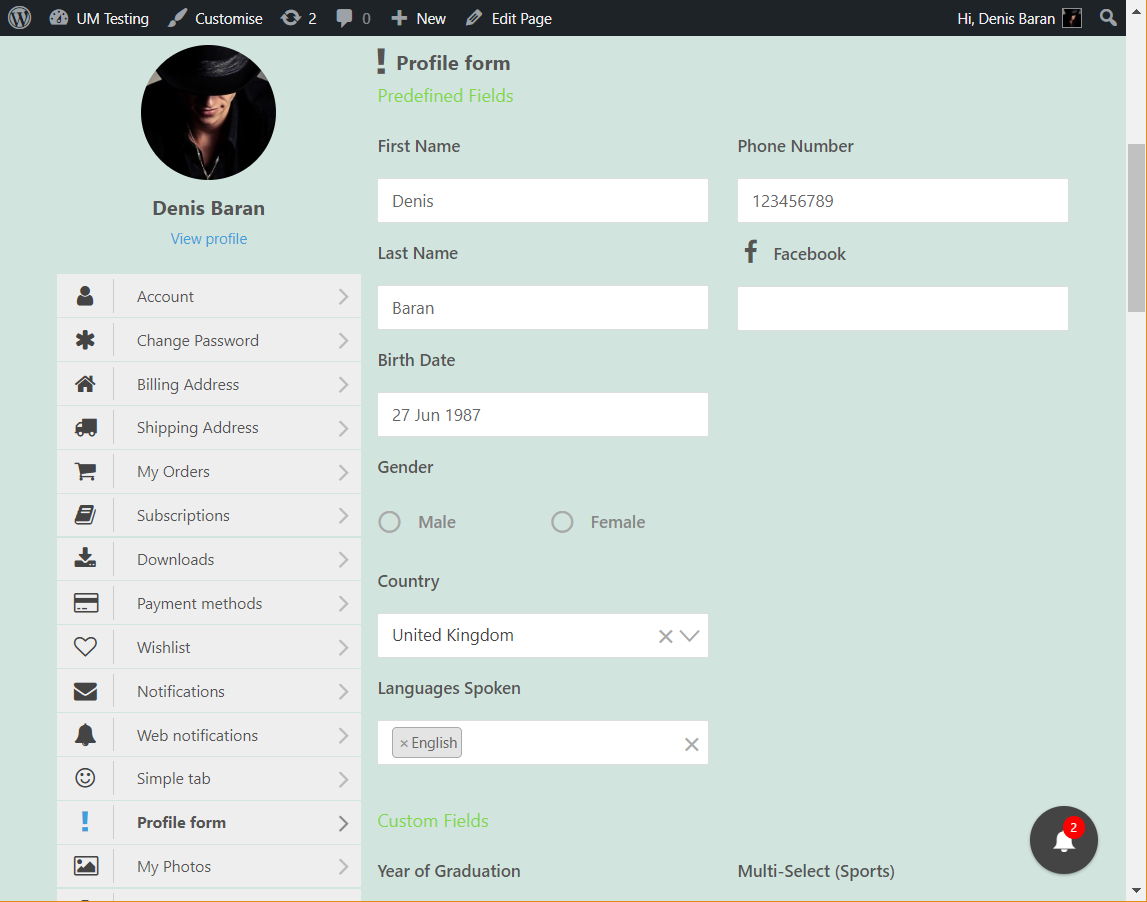
- Ability to embed a profile form into the custom account tab.
Installation
Clone from GitHub
Open git bash, navigate to the plugins folder and execute this command:
git clone --branch=main git@github.com:umdevelopera/um-account-tabs.git um-account-tabs
Once the plugin is cloned, enter your site admin dashboard and go to wp-admin > Plugins > Installed Plugins. Find the "Ultimate Member - Account tabs" plugin and click the "Activate" link.
Install from ZIP archive
You can install this plugin from the ZIP archive as any other plugin. Follow this instruction.
How to use
Once the plugin is activated go to wp-admin > Ultimate Member > Account Tabs. Click the Add New button, then configure a new account tab as shown on the image below. Select the profile form you want to embed to account in the setting Embed a profile form.
Screenshots:
Image - How to create a new account tab.
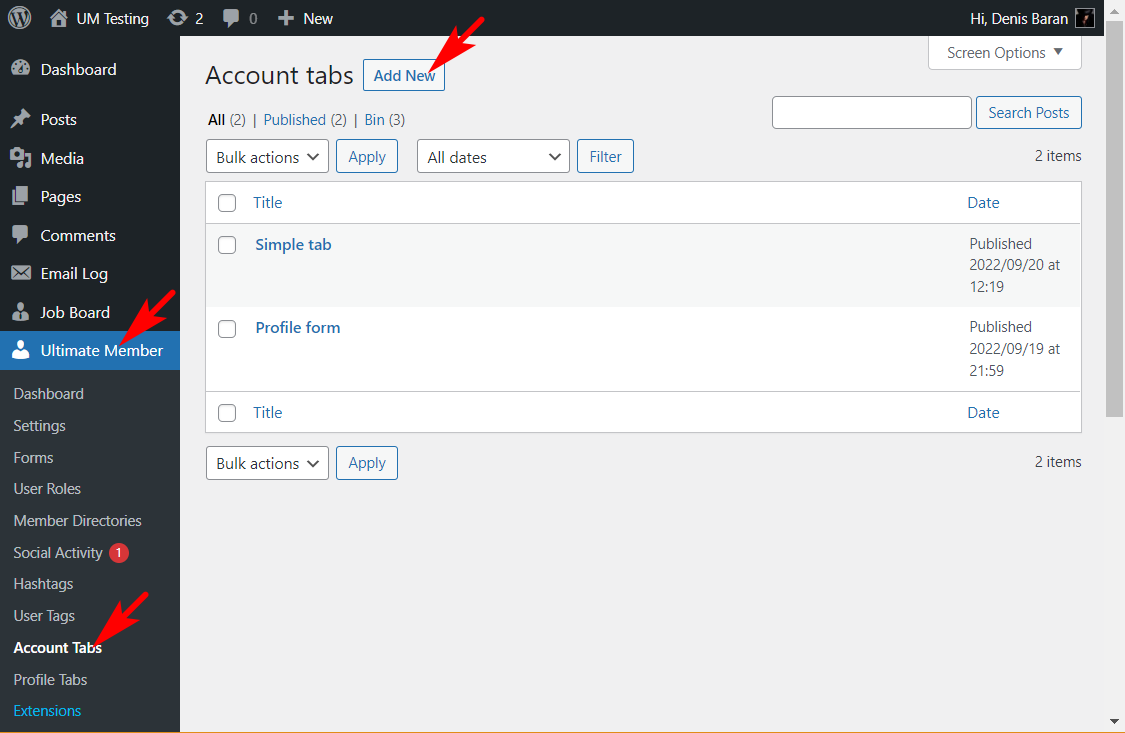
Image - Custom account tab settings.
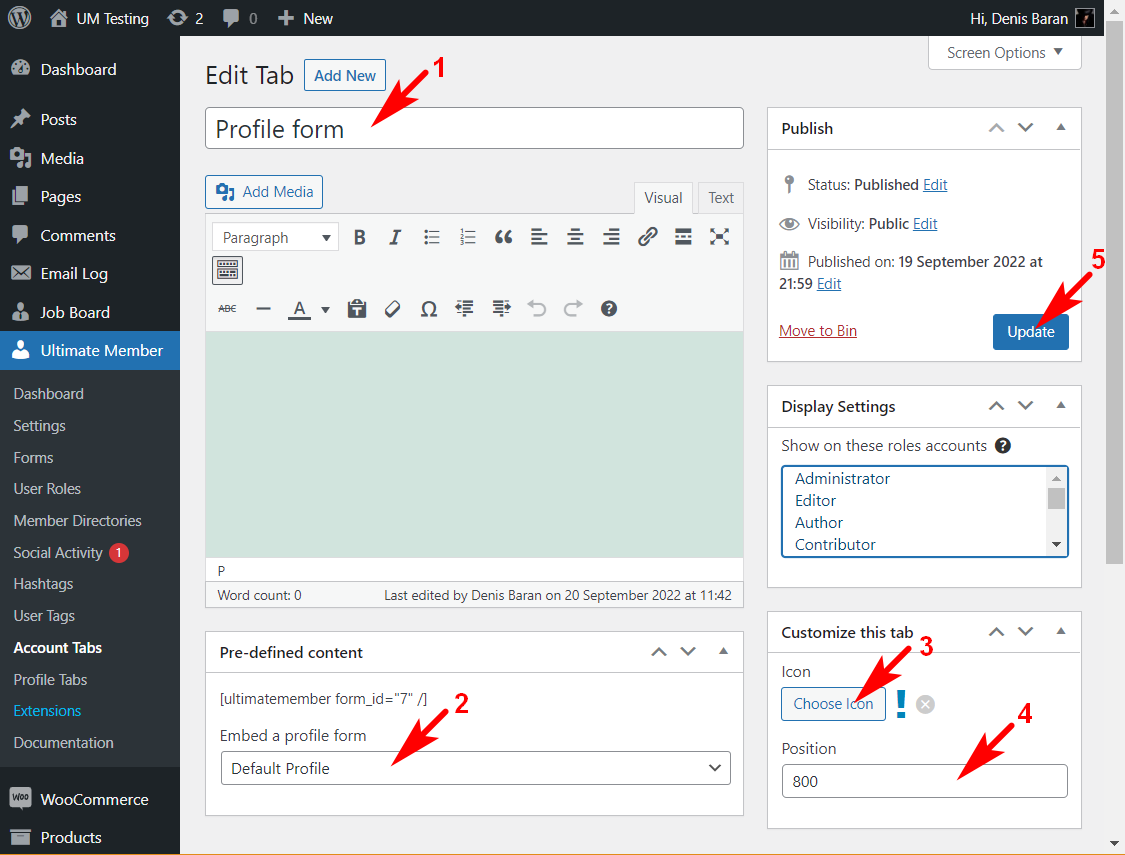
Image - An example of the embed profile form in Account
Related links:
Download the core Ultimate Member plugin: https://wordpress.org/plugins/ultimate-member/
The Profile tabs extension: https://ultimatemember.com/extensions/profile-tabs/
Ultimate Member home page: https://ultimatemember.com/
Ultimate Member documentation: https://docs.ultimatemember.com/
Articles: